 Dialed In
Early access Espresso, pour over and more
The coffee log you share with friends.
Log every cup, see exactly what to change on your next one, and dial in new bags together. Every coffee you brew becomes a flavor shape you can spin and compare.
Claim your free early-adopter account
The same account either way, and every feature here today stays free for you, for good. No ads, no tracking.

Every cup is worth remembering.
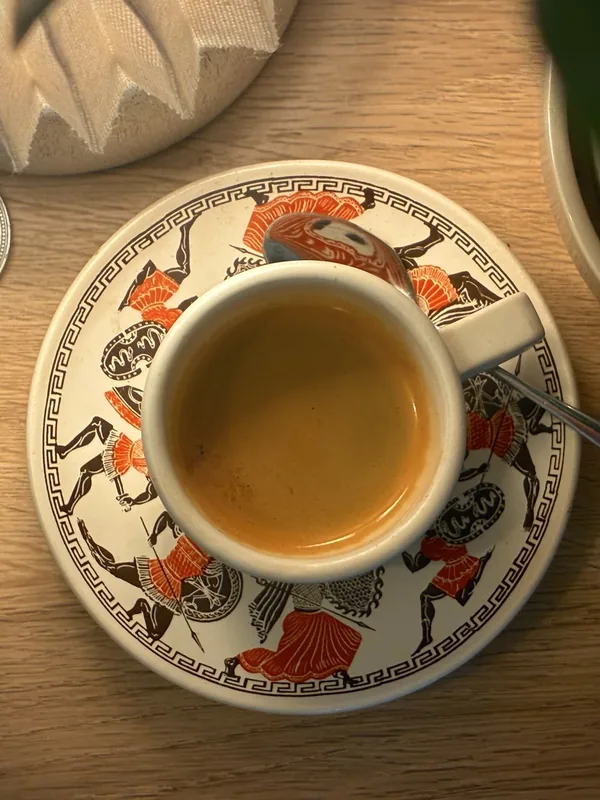
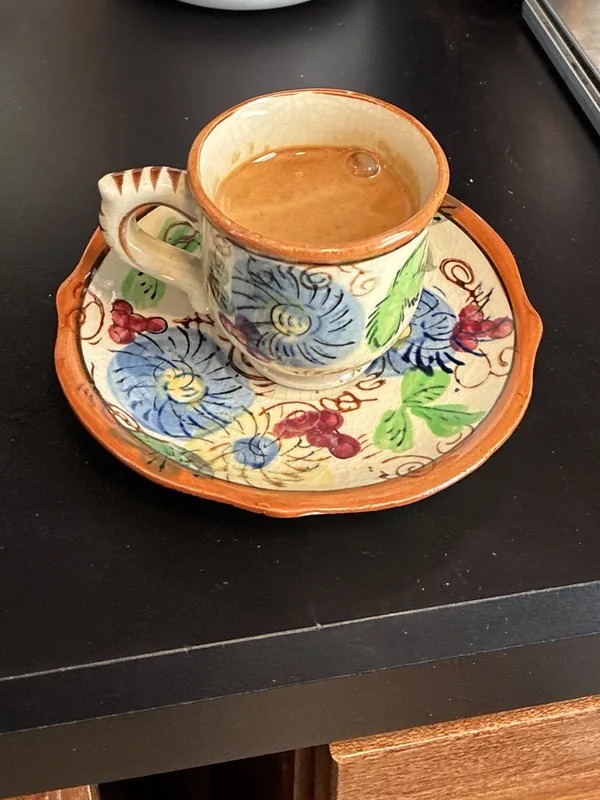
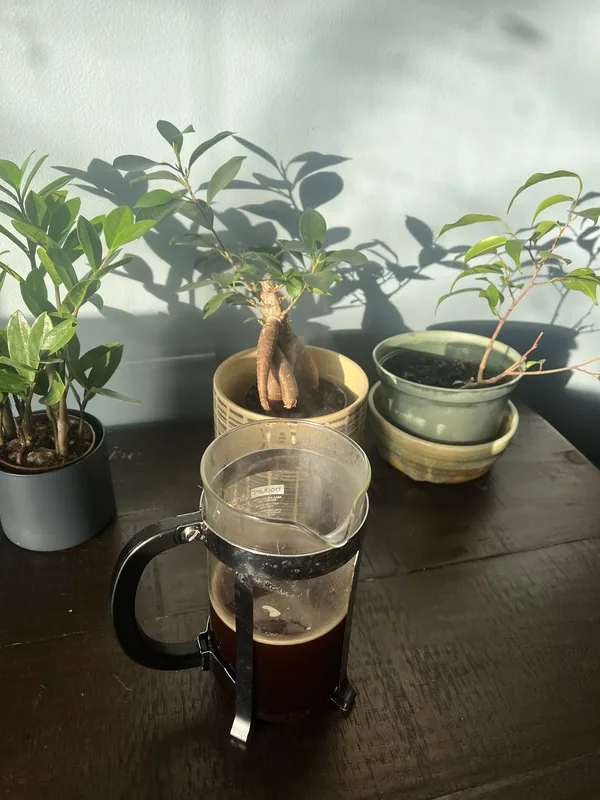
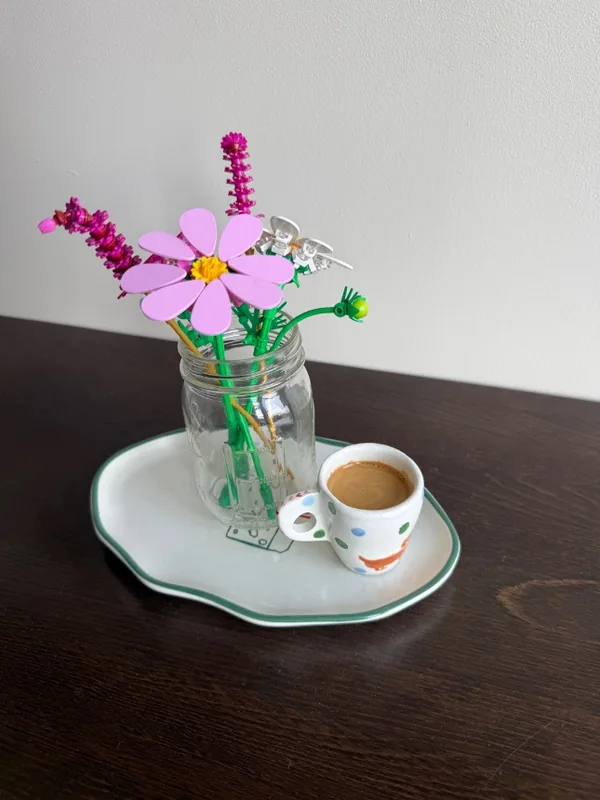
The shot that finally clicked, the café you’ll go back to, the bag you’ll buy again. Add a photo to any session and keep them all.








Every cup gets a shape
See how your coffee tastes.
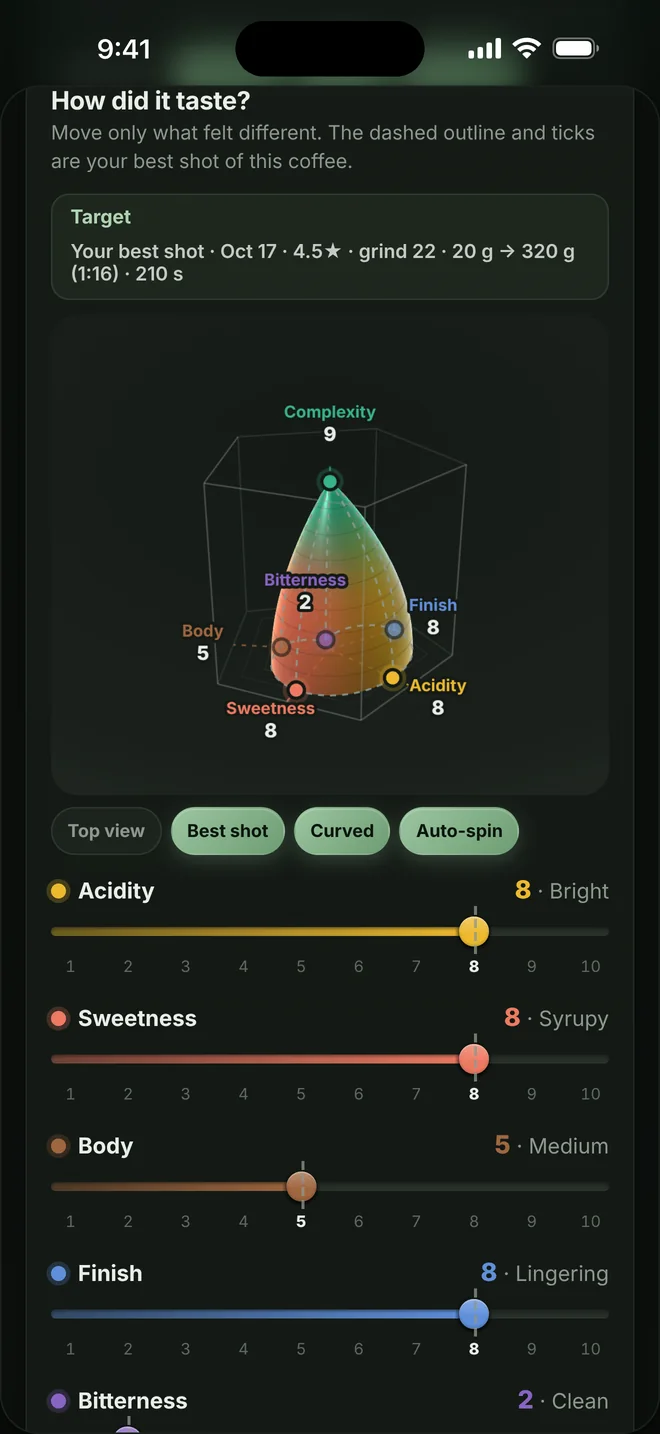
After each cup, slide five tastes. They become the floor of a 3D shape, and complexity sets its height. Bright coffees grow tall and narrow; chocolatey ones sit low and wide. Spin it, compare it with your best shot, or lay two sessions on top of each other.
- Acidity
- Sweetness
- Body
- Finish
- Bitterness
- Complexity, the height
Try a few:


Example shapes, drawn by the same engine the app uses.
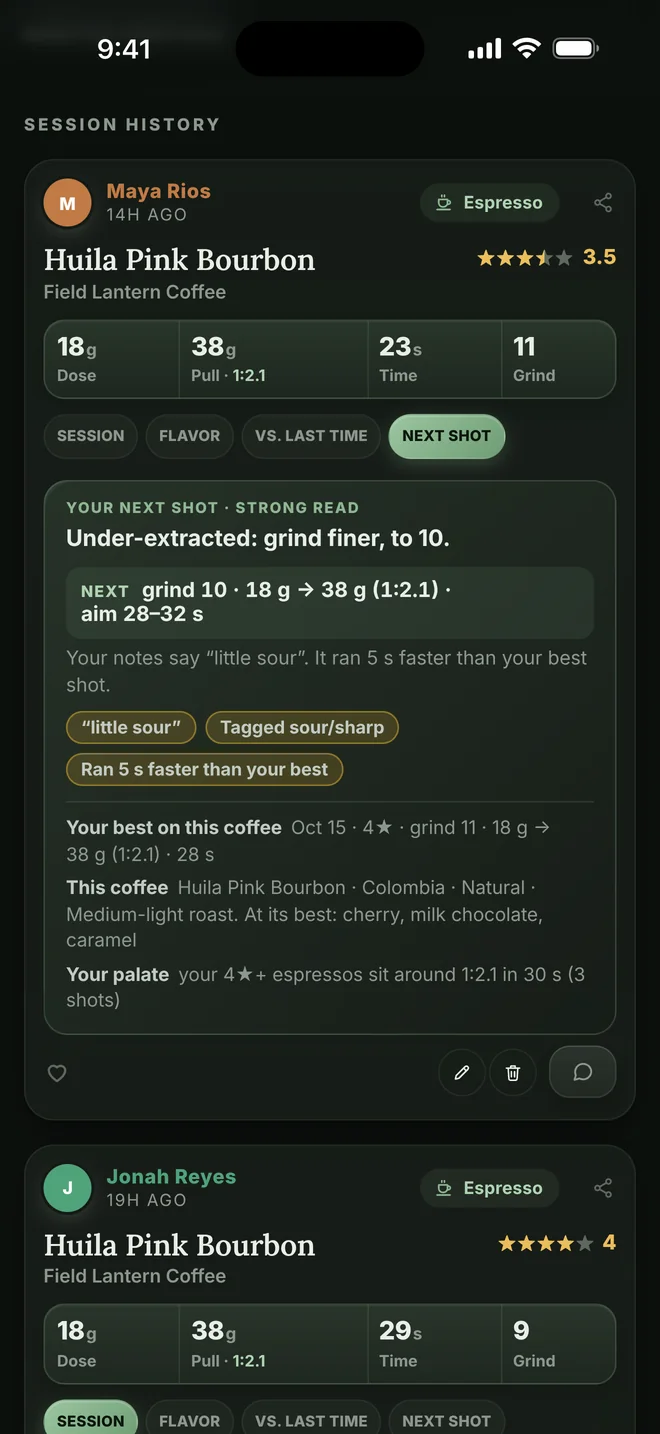
Your next-shot coach
Know exactly what to change next.
After every session, the coach reads your notes and numbers, holds them up against your best shot on that coffee, and gives you one clear move: grind finer, shorten the ratio, or repeat it exactly.
Reads what you wrote
Type “a little sour at times” or “less bitter than yesterday” and it gets it, hedges and all.
Aims for your best cup
Each shot is compared with your best one on that coffee, so every tip moves you toward a cup you already loved.
Speaks your grinder
It learns which way your grinder turns and how big one step is. It never borrows someone else’s grind number.
Catches the classic traps
A long ratio hiding sourness, a fast bitter shot that channeled (water rushing through cracks in the coffee), or beans speeding up as they age.
Better together
Brew with your friends.
Follow your friends, cheer on each other’s shots, and figure out a new bag together. Coffee is more fun when someone else is tasting along.
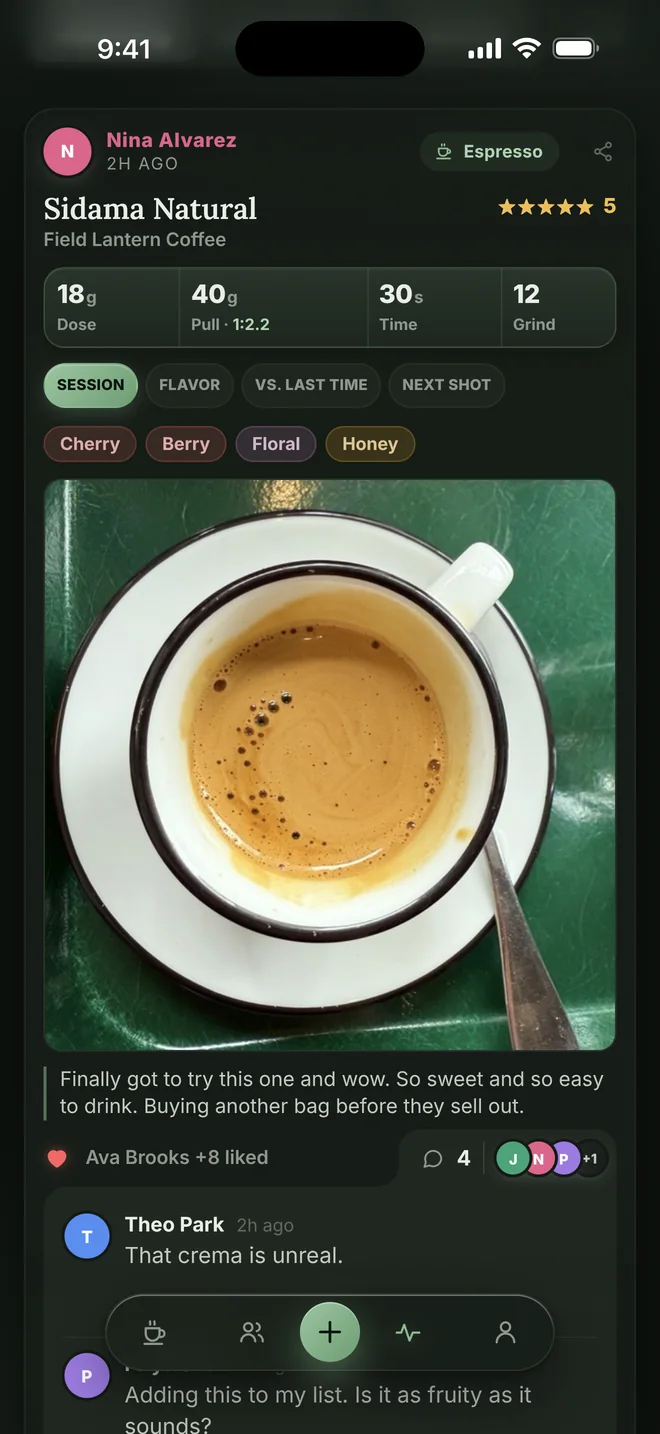
Follow friends
See what they’re brewing, like it, and leave a comment.
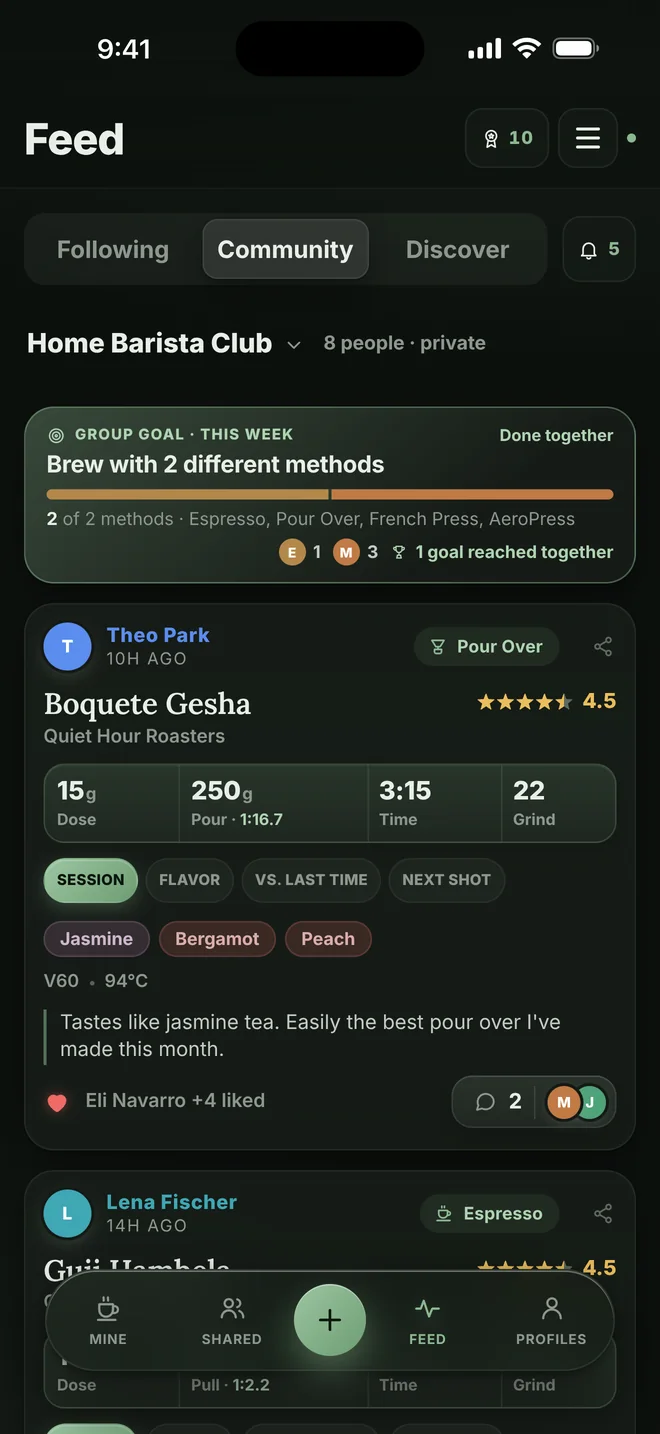
Start a community
Your own club with its own feed, monthly awards, and a weekly goal sized to how much everyone usually brews.
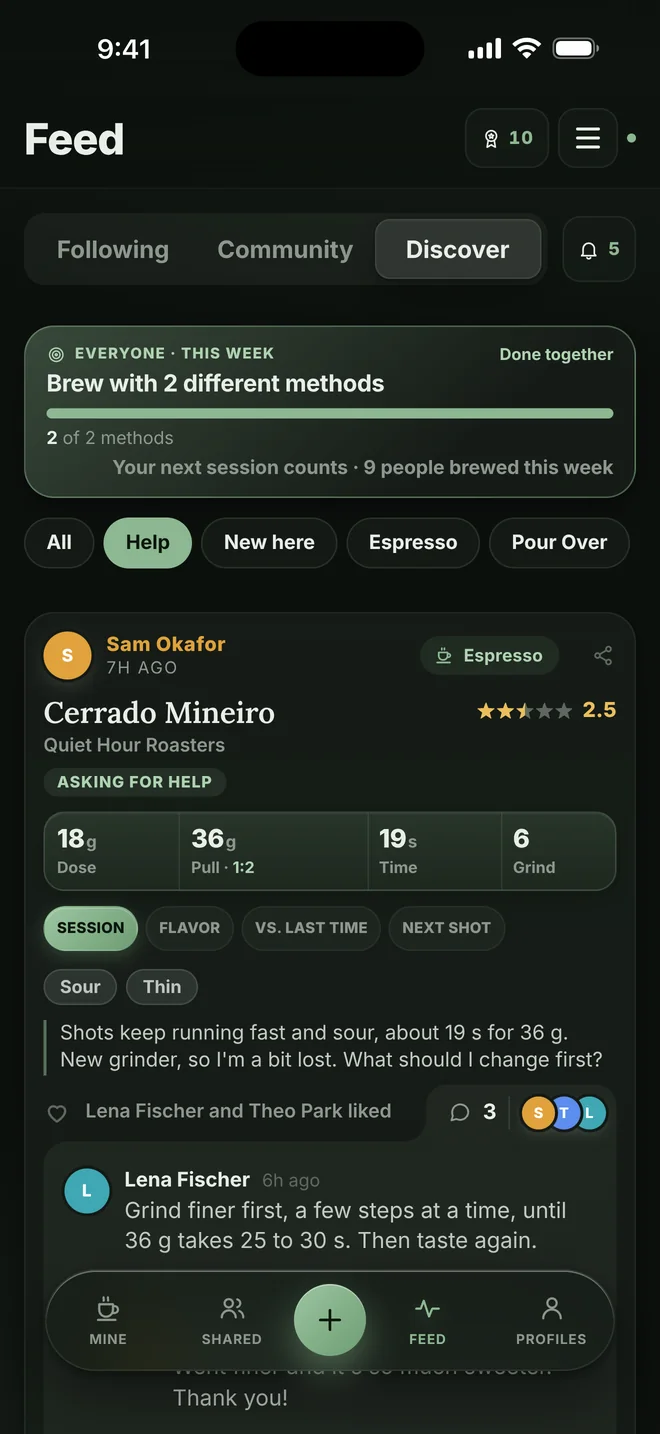
Ask for help
Stuck on a new bag? Ask, and anyone in the community can answer.
You choose who sees each session: everyone, your friends, or only you.
Discover new coffees: recent, interesting brews from all kinds of beans. It ends. No endless scroll.
Everything in one place
Watch yourself get better.
Every coffee and every roaster gets its own page, so you can see what worked, what didn’t, and what you keep coming back to.
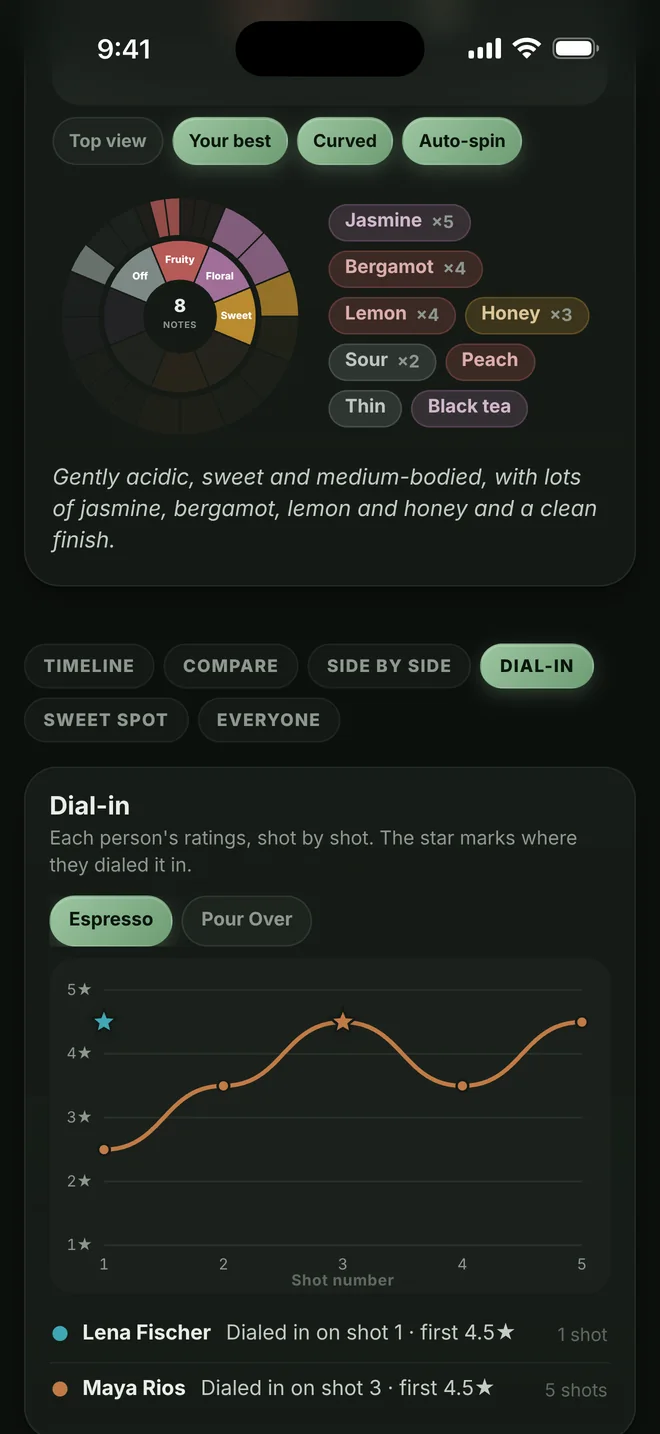
See yourself dial in
A timeline, dial-in curves and two sessions side by side for every coffee.
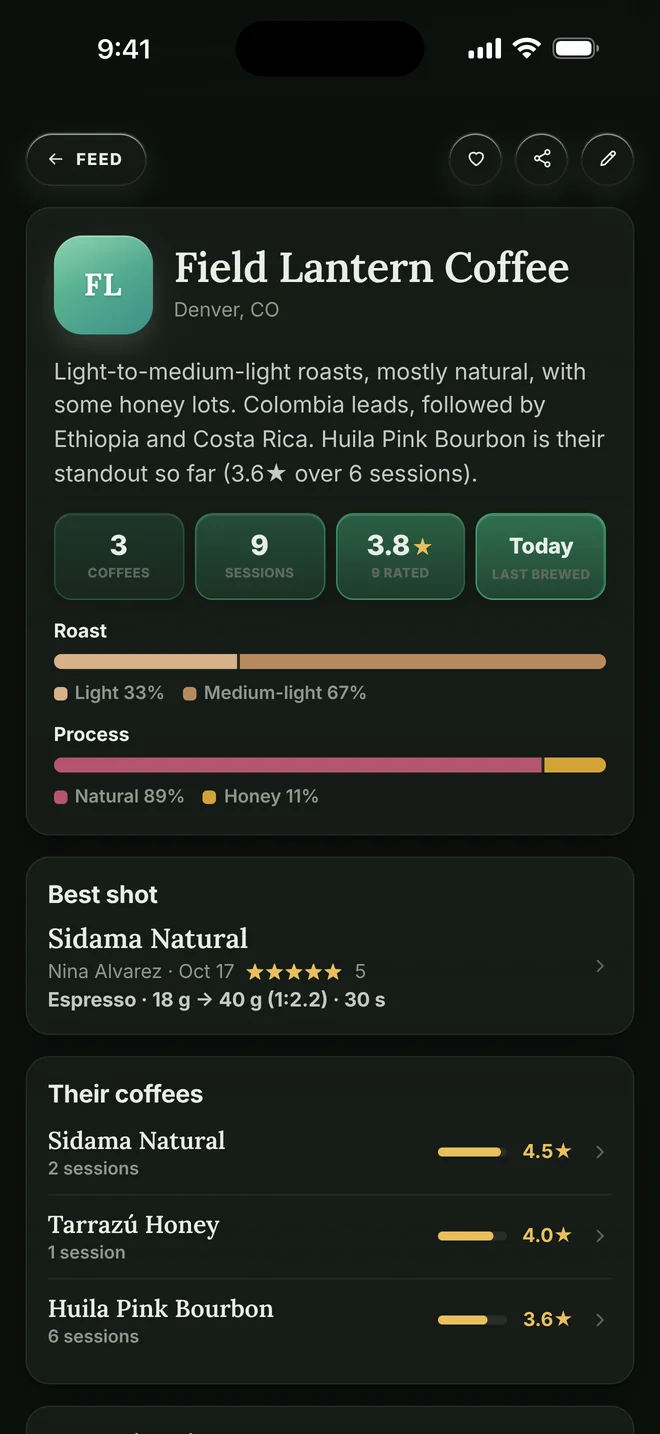
Every roaster gets a page
Their coffees, roasts and processes, and the best shot on any of them.
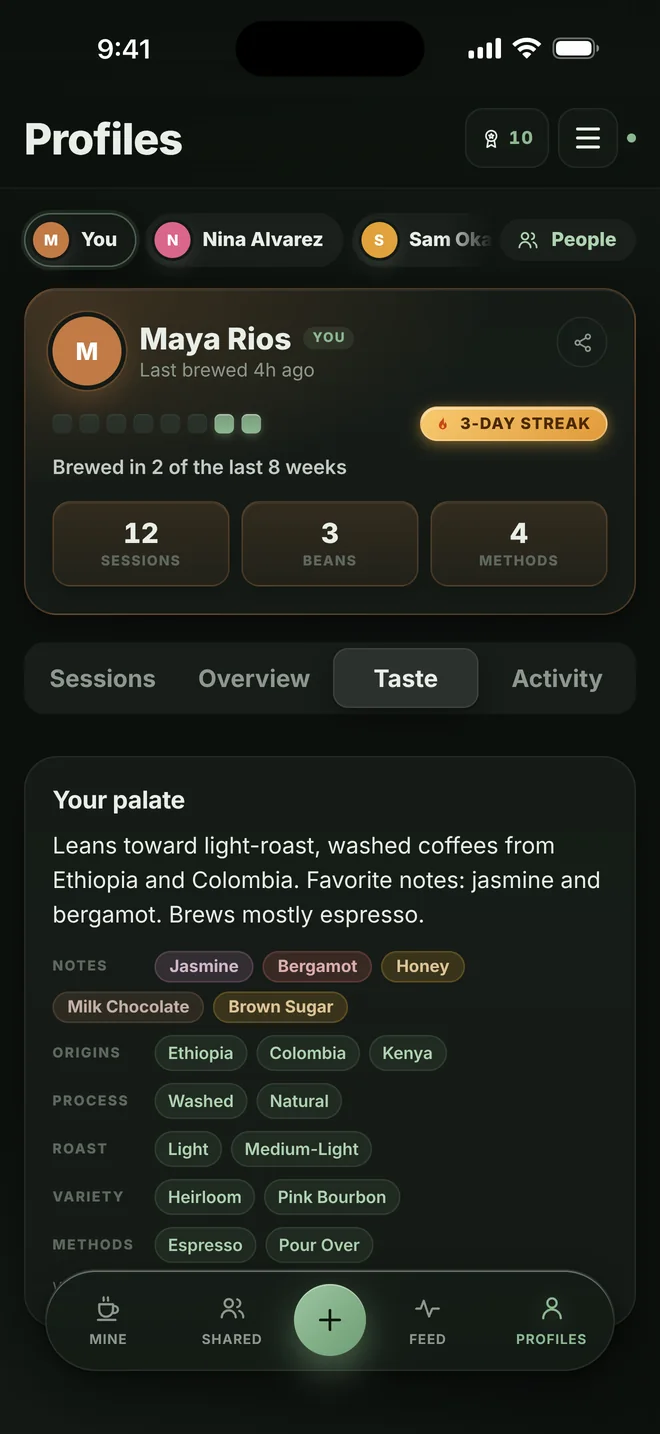
Learn what you like
Your palate: the origins, processes and notes you keep coming back to.
Made for how you brew
Log a cup in seconds.
One form for every brewer, showing just the fields that matter for it. Rate it, slide the taste, tap notes from the flavor wheel, add a photo, done.
- Espresso
- Pour over
- French press
- AeroPress
- Moka pot
- Cold brew
Recipes that stay in proportion. Save your favorites, with a coffee, water and ratio lock.
Brew along. A guided pour on the timer tells you when and how much to pour.
Your grinder, your way. Numbers or letters like “3B”, whatever your dial says.

Share it
Turn any cup into a Story.
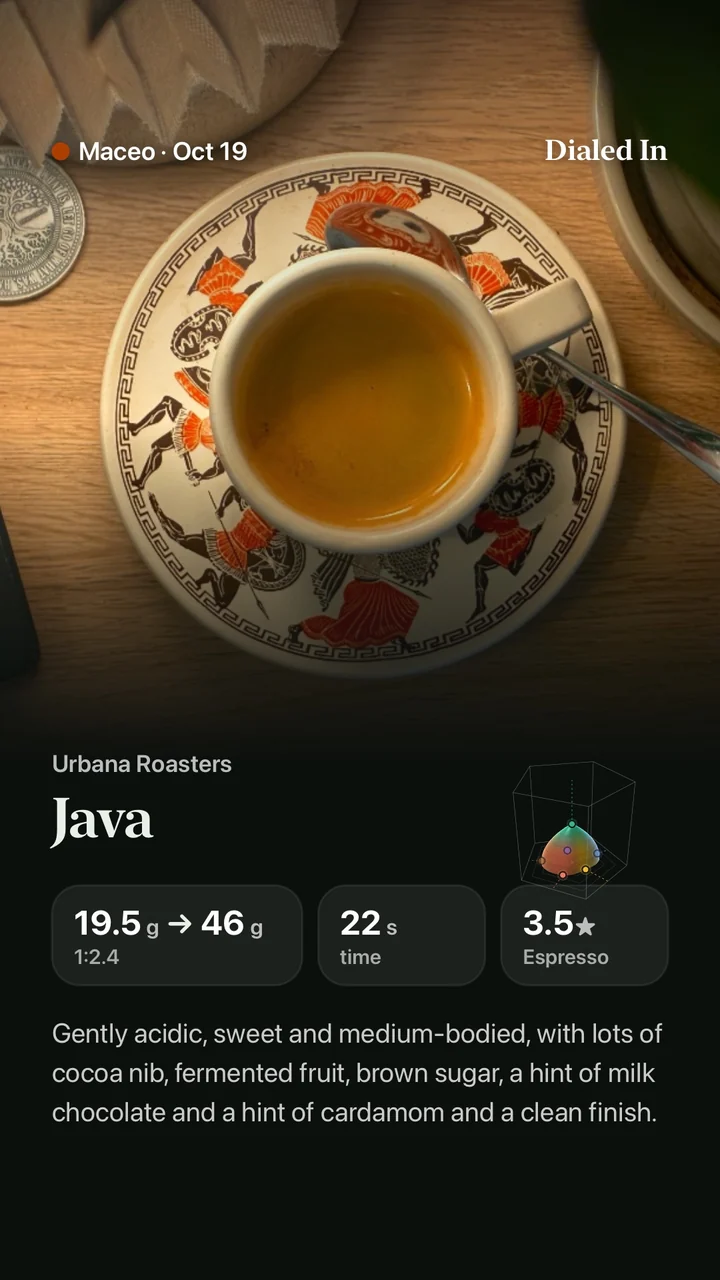
Tap Share on one of your sessions and Dialed In makes a picture for your Instagram Story: your photo, the coffee, dose and yield, time, rating, the flavor shape and your cup in words.
A real one: Maceo’s Java from Urbana Roasters, Oct 19.
And plenty of little things that make it yours.
Personal goals
Sessions a week, new coffees a month, or a rating to beat on one bag.
Achievements and streaks
Levels to earn as you brew, and a streak to keep alive.
Your Year in Coffee
A recap of everything you brewed, plus a coffee calendar and monthly recaps.
Light or dark
Pick one, or let it follow your phone.
No ads. No tracking.
Your coffee notes are yours. Dialed In doesn’t sell them, show you ads, or follow you around the internet.
No password to forget
Sign in with a 6-digit code sent to your email.
Take your data with you
Download everything you’ve logged any time in Settings.
Leave whenever you like
Delete your account in Settings, and your photos go with it.
Get it on your phone
Put Dialed In on your home screen.
On an iPhone, get the app from the App Store. On any other phone, the web app works like one: add it to your home screen and it gets its own icon and opens with one tap.
Do this from the web app, not from this page, or your browser will save this page instead.
Get the iPhone appFree on the App Store
The easiest way on an iPhone. It’s the same early-adopter account as the web app. Rather use the web app? Add it to your home screen:
-
Open the web app in Safari
Tap “Open the web app” below. Inside Instagram or another app? Open the page in Safari first.
-
Tap •••, then Share
The ••• button is next to the address. On some iPhones the Share button is right in the toolbar.
-
Tap Add to Home Screen
Scroll down the list that opens until you see it.
-
Keep “Open as Web App” on, then tap Add
Dialed In lands on your home screen and opens full screen, like any app.
-
Open the web app in Chrome
Tap “Open the web app” below. Inside Instagram or another app? Open the page in Chrome first.
-
Tap ⋮, then Add to Home screen
The ⋮ menu is at the top right. On some phones the option says Install app.
-
Tap Add
Dialed In lands on your home screen and opens with one tap.
-
Chrome on iPhone
- Open the web app in Chrome.
- Tap the Share button next to the address.
- Tap Add to Home Screen, keep “Open as Web App” on, then tap Add.
-
Firefox on iPhone
- Open the web app in Firefox.
- Tap ••• in the bottom bar, then Share.
- Tap Add to Home Screen, then Add.
-
Samsung Internet
- Open the web app in Samsung Internet.
- Tap ☰ in the bottom bar, then Add page to.
- Tap Home screen, then Add.
-
Firefox on Android
- Open the web app in Firefox.
- Tap ⋮, then Add to Home screen.
- Tap Add, then Add again to finish.
-
Chrome on a computer
- Open the web app in Chrome on your Mac or PC.
- Click ⋮ at the top right, then Cast, save, and share.
- Click Install page as app, then Install.
-
Safari on a Mac
- Open the web app in Safari (macOS Sonoma or later).
- Choose File, then Add to Dock.
- Click Add. It opens from your Dock like any app.
Another browser? Look for its Share button or its menu (⋮, ☰ or •••), then Add to Home screen or Install.
Your account works everywhere: sign in with the same email on any phone or computer, and in the iPhone app.
Questions
What is Dialed In?
Dialed In is a social coffee log app for people who brew at home. Log espresso, pour over, French press, AeroPress, moka pot and cold brew, see every cup as a 3D flavor shape, get a next-shot tip based on your own best brews, and share it all with your friends.
Is it free?
Yes. Everyone who joins during early access is an early adopter, and every feature Dialed In has today stays free for you for good, even if paid plans come along later. The only thing that could ever cost extra is a brand-new feature down the road that costs real money to run. There are no ads and no tracking.
Do I need an iPhone?
No. Dialed In runs in your web browser on any phone or computer, and you can add it to your home screen so it opens with one tap (the steps are just above). The iPhone app is on the App Store too, and your account works in both.
Will a friend’s grind setting work on my grinder?
Usually not, because every grinder counts differently. That’s why the coach only ever uses your own grind numbers. Ratios, shot times and tastes do compare, so those are what you share and learn from.
Who can see what I log?
You pick for each session: everyone, your friends, or only you. You can also make your profile private and block anyone.
I’m new to brewing. Is it for me?
Yes. Log what you brewed and how it tasted, and the coach tells you what to try next in plain words. If you get stuck, ask the community.
How do I get help or report a problem?
Email dialedincoffeeapp@gmail.com or visit the support page. Sessions, comments and profiles can each be reported from inside the app.
Your next cup could be your best one.
Join during early access and every feature here today stays free for you, for good. Get the iPhone app or start on the web in a minute: it’s the same early-adopter account either way, and your friends can join with a link.